
Postify Dispatch
Automate Speed Post & Registered Parcel Excel manifest creation directly from your Shopify store. Save 2+ hours daily.
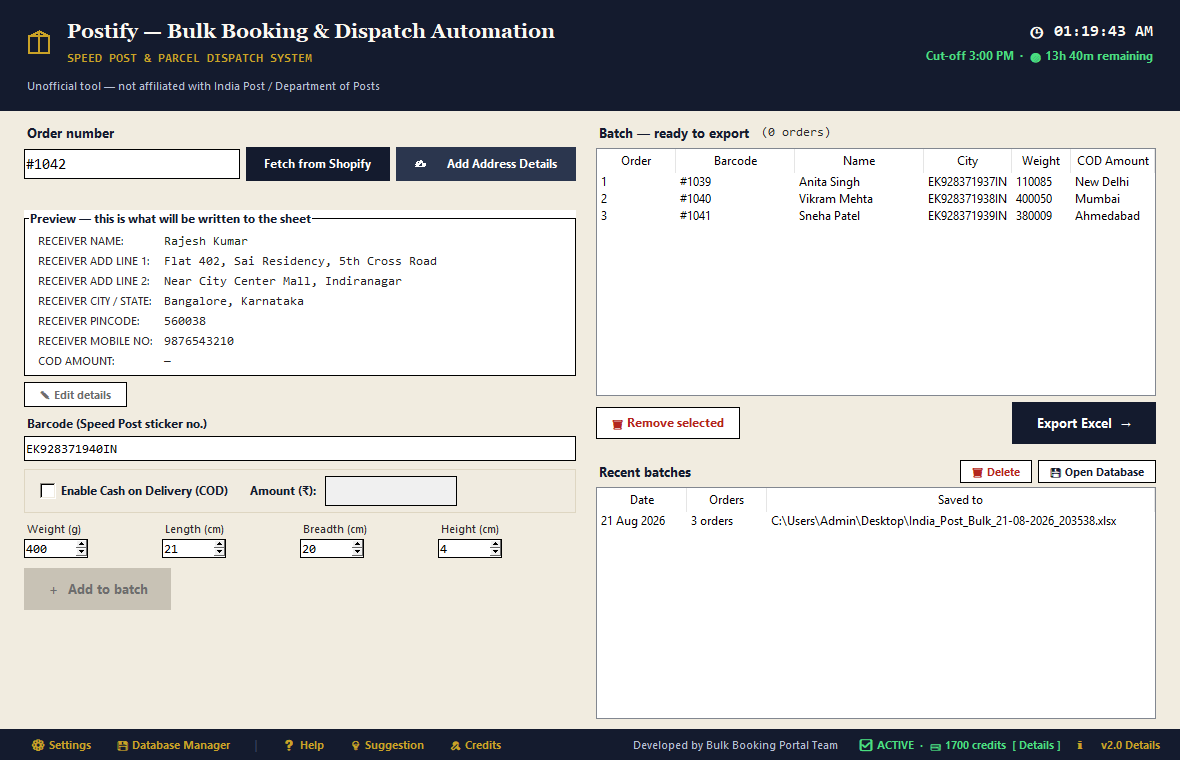
Built specifically for Indian e-commerce merchants shipping via India Post & Speed Post.
Auto-fetch pending orders directly using secure Shopify API credentials.
Creates official 25-column India Post bulk booking Excel files automatically.
| Article No. | Recipient | PIN | COD (₹) |
|---|---|---|---|
| EM984521305IN | Rahul Sharma | 400058 | 1,299 |
| EM984521306IN | Pooja Patel | 560001 | 0 (Prepaid) |
Includes offline 1.5M India Post pincode database for instant office auto-fill.
Cleans recipient names, splits long addresses, and formats phone numbers.
Generates clean reference codes for quick scanning at postal booking counters.
Runs locally on your Windows PC. Customer order data stays private.
Actual screenshots of the running application on Windows 10/11.
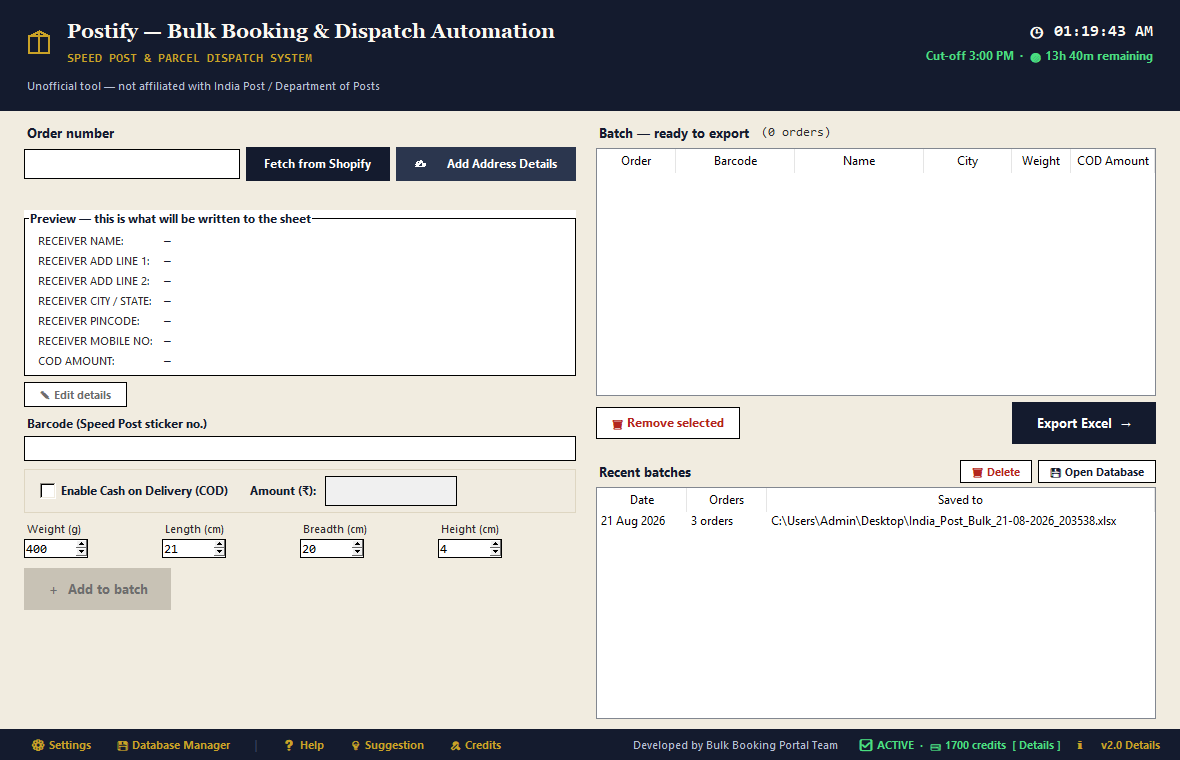
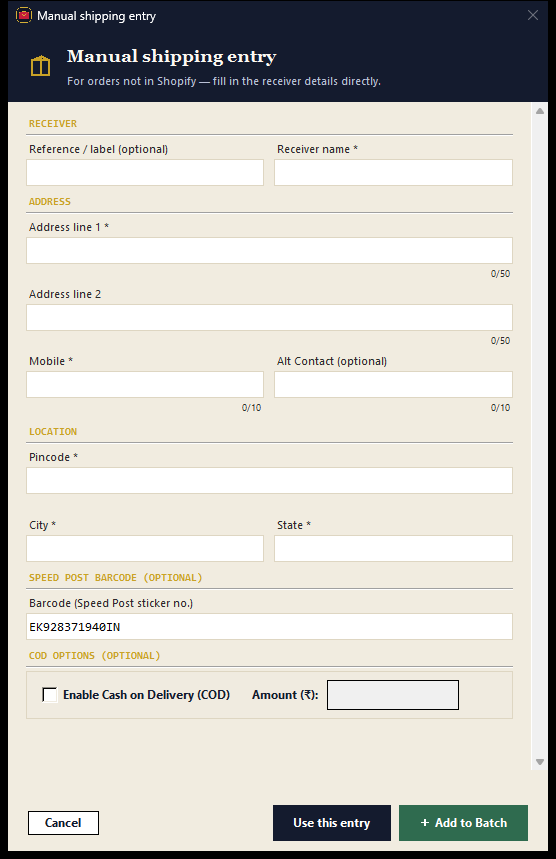
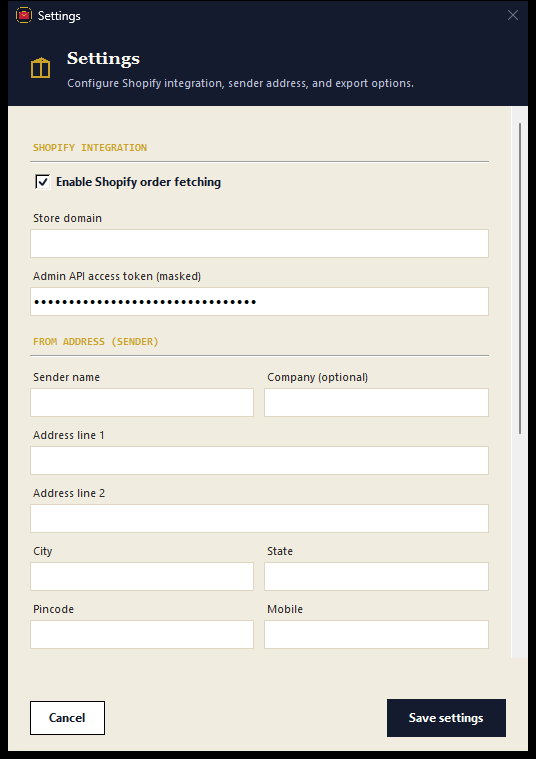
No training needed. Most users ship their first batch within 5 minutes of downloading.
Double-click the .exe — no installation, no setup screen. It opens immediately.
Go to Settings → paste your Shopify domain and Admin API token. Saved forever.
Type #1042, click Fetch. Name, address, phone, COD — all filled automatically.
Scan or type your Speed Post barcode sticker, then click Add to Batch. Repeat for more orders.
Click Export Excel. Upload the file to India Post bulk booking portal. Done.
Choose the plan that fits your dispatch volume. No hidden subscription fees.
Everything you need to know about automating India Post Speed Post bulk booking, Excel upload sheets, and Shopify order manifests.
PostifyShip takes customer order details from Shopify or manual entry and formats them directly into the official 25-column India Post bulk booking Excel template. Each row includes the Article Number (barcode), Addressee Name, Address Line 1 & 2, City, State, PIN Code, Mobile Number, Weight, and COD Amount. You can upload this file directly to the India Post corporate portal or hand it to your local booking sub-post office.
Yes, 100% compatible. The output conforms strictly to the India Post Department of Posts specifications for Speed Post and Registered Parcel bulk upload. There are zero column mismatch errors or rejected rows when uploading to the India Post corporate customer portal.
PostifyShip connects securely to your Shopify store using your private Admin API access token. When you enter an Order ID (e.g., #1042), PostifyShip instantly fetches the recipient name, shipping address, 6-digit PIN code, phone number, and COD total. It automatically cleans Indian addresses, trims lines to postal limits, and matches the correct post office.
Yes. PostifyShip supports standard USB and Bluetooth barcode scanner guns. After fetching the order, simply scan your Speed Post barcode sticker (e.g., EM123456789IN) directly into the app. It validates the 13-character Speed Post format and binds it to the shipment in the batch.
Yes. PostifyShip supports all major India Post domestic mail categories including Speed Post (Domestic), Speed Post COD, Registered Parcel, and Business Parcel. COD collectable values are mapped directly to the official COD column in the Excel manifest.
No. PostifyShip includes an offline database of over 19,000 Indian Postal PIN codes and delivery post offices. City and State auto-fill works instantly on your Windows computer even without an active internet connection.
Download the Windows desktop app, connect your Shopify store in 2 minutes, and process your first 150 Speed Post orders completely free.